Read the work one page at a time
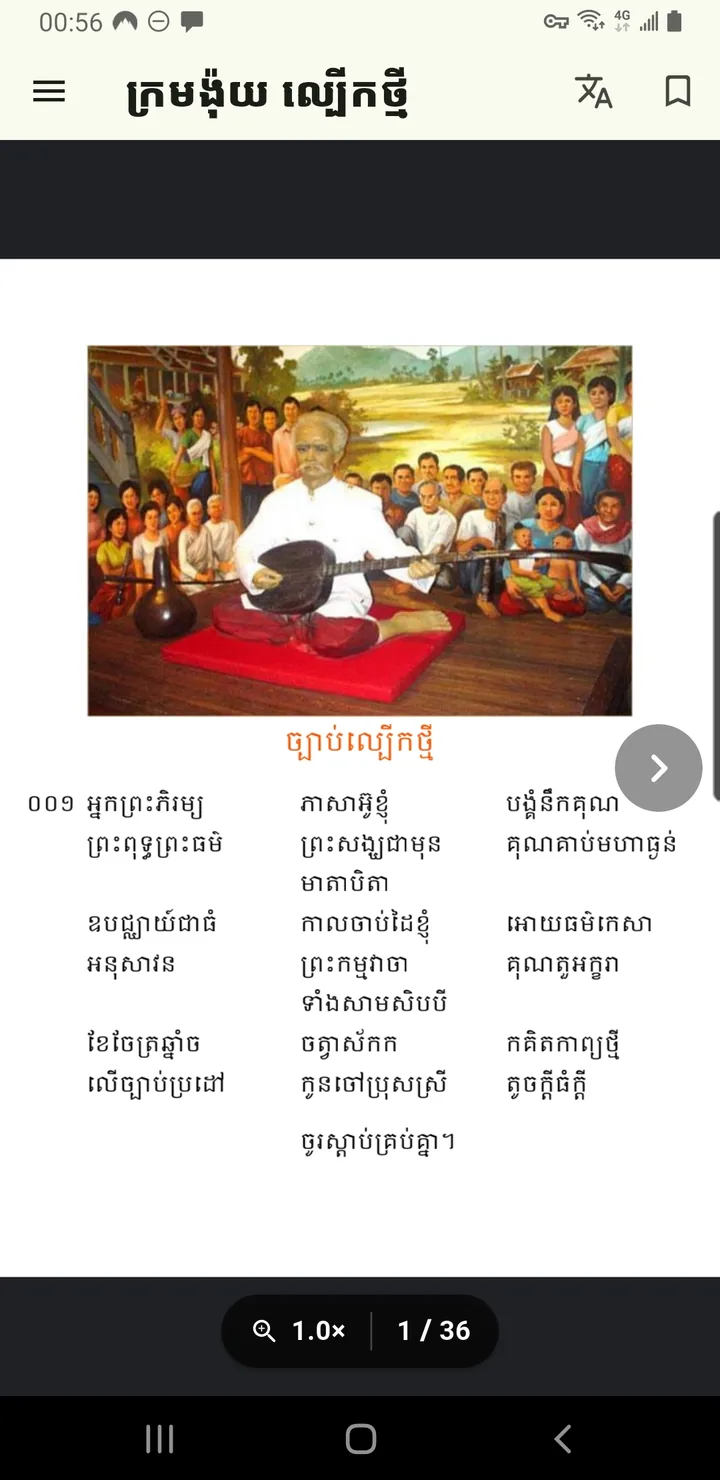
Rather than displaying an unbroken wall of text, the app presents the book through a PDF-style reader. This can help readers follow the original page sequence and return to a particular part of the book.
Reading features listed on Google Play
- Page-turn navigation: move forward or back through the book using the reader controls.
- Pinch to zoom and double tap: enlarge a page when small text or illustrations are difficult to read.
- Panning: move across an enlarged page to inspect an area that no longer fits in the viewport.
- Page and zoom controls: check your place and adjust the reading view without losing the book’s sequence.
Suggested reading workflow
- Open the book and find the section you wish to read.
- Move page by page, checking page numbers when available.
- Use pinch-to-zoom for small print, then pan to follow the lines.
- Return to a comfortable zoom level before continuing through longer passages.
About the literary content
The work reflects Khmer poetic and moral traditions. The mobile app is a way to access the material digitally; the developer does not claim authorship of the historical literary work.
For technical changes to the reading interface, check the latest Google Play release notes.
← Browse the other Android applications
View genuine app screenshots
See screenshots and the latest published description in the official Google Play listing. The images shown elsewhere on this site are app icons, not screenshots of an installed app. Website screenshot galleries will be added only after current, owner-approved screenshots are supplied.